Design | Branding | Creativity

Design 101

Design software

Maybe you’re working with a graphic designer for the first time, or perhaps you’re thinking about learning some design skills yourself.  Either way, I’m sure you’d like to sound (and feel) like less of a design noob, but don’t know where to start. Welcome to my ‘Design 101’ blog series, from someone who’s been in the industry for over 10 years. In this post I’ll be covering the main software that designers use.

Adobe’s Creative Cloud software is the industry standard for most designers. Graphic design overlaps with a lot of other skills (like type design, photography, web design, illustration) but if we’re talking about the sort of work that falls squarely into ‘graphic design’, then Illustrator, Photoshop and InDesign are all that’s needed.

So, what’s the difference? And which one is used for which job? 

Illustrator

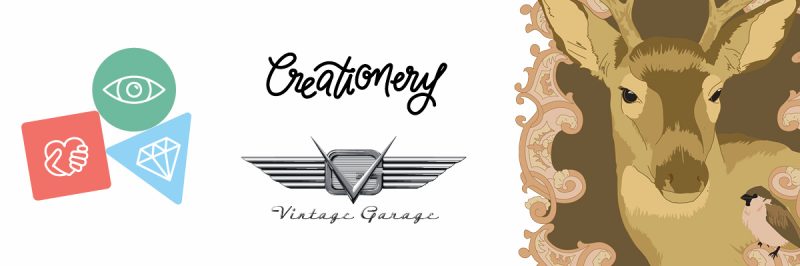
Illustrator is perfect for creating vector graphics such as logos, icons and illustrations. If you thought ‘Vector’ was the name of a robot, check out my other blog post, but basically vector means it’s based on shapes (points, lines, curves and fills). Don’t be fooled into thinking it can’t be complicated though, some illustrators (Ken Taylor for example) make incredibly detailed drawings all based on vector shapes. Illustrator files have the extension ‘.ai’ but most vector files (eps, pdf, svg) can be edited in (or exported from) Illustrator.

Illustrator is perfect for icons, logos, and intricate drawings of deers.

Photoshop

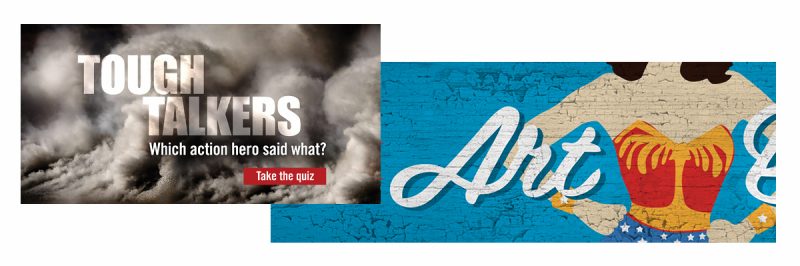
To create pixel-based graphics such as edited photos and textured illustrations, Photoshop is the winner. As its name suggests, it began as photo editing tool so it’s perfect for any kind of photo manipulation, from minor colour correcting, to fully retouched, movie-poster-style compositions (or fantasy underwater scenes, if that’s your thing). It’s also useful for brush-style digital illustrations. A lot of current children’s book illustrations are done in Photoshop, either by scanning and editing painted elements or by painting directly into Photoshop. Working files usually have the extension ‘.psd’. Because it’s pixel-based it’s also good for some web-based designs, and is probably where your favourite animated gifs came from.

Photoshop layers and blending let you make cool effects on images.

InDesign

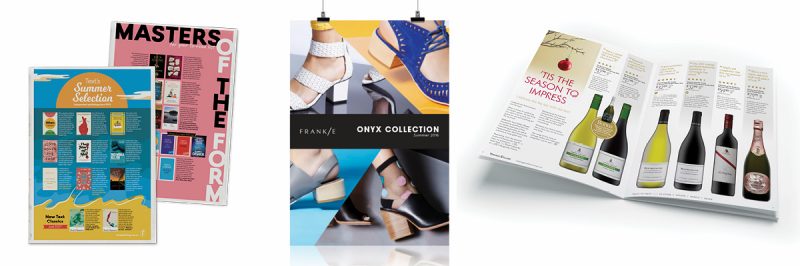
No other software has the text options of InDesign so if I’m doing anything with more than a few words in it, I’ll use InDesign. It’s perfect for putting images, text and graphics together in a layout and then exporting for print or digital. It takes the design elements you’ve created in the other software (logos, icons, illustrations, images) and makes it easy to work with them in a complete layout. InDesign also has the best options for exporting pdfs… from fillable forms, screen reader accessibility, and correct printing marks. Most posters, flyers, brochures and novels will have been designed in InDesign.

Are you looking at something with text, images and other elements all in one layout? Go for InDesign.

InDesign files have the extension ‘.indd’, but if you’re sharing files, they need to be ‘packaged’. Packaging the file collects all the linked elements and fonts together, without these the Indesign file is just a shell and not very useful (it’s a bit like having a recipe but none of the ingredients). Unlike Illustrator and Photoshop files, InDesign files cannot be opened by older versions of the software, so in that case it’d need to be exported as an ‘.idml’